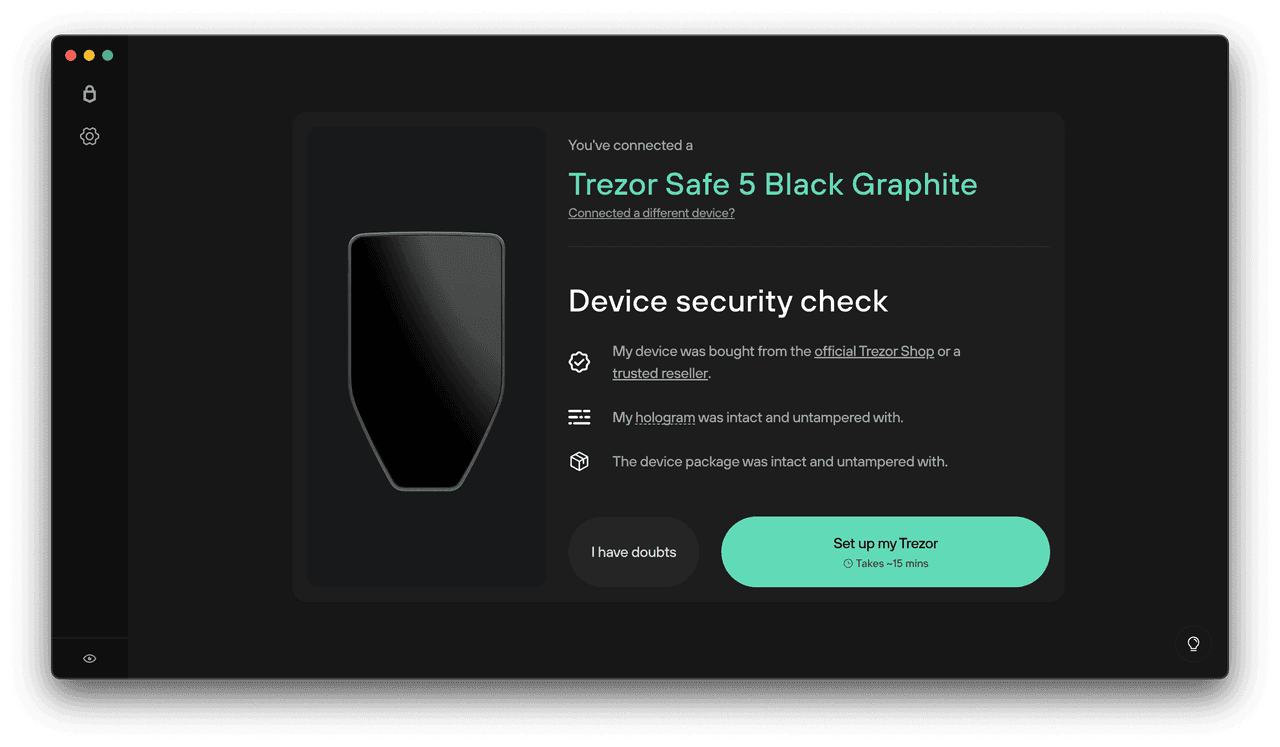
Trezor Login: Secure Access to Your Cryptocurrency Assets
In today’s digital asset ecosystem, security is paramount. Trezor login provides a reliable and secure method to access Trezor hardware wallets and the Trezor Suite interface, allowing users to manage cryptocurrencies while keeping private keys offline and fully protected.
This guide explains Trezor login, its purpose, setup process, features, security benefits, and best practices for professional crypto management.
1. What is Trezor Login?
Trezor login is the process of accessing your Trezor hardware wallet and the Trezor Suite software securely. Unlike conventional web logins, it relies on:
Physical possession of a Trezor device
PIN authentication on the device
Encrypted connection to Trezor Suite
This approach ensures that private keys are never exposed to the internet, reducing the risk of hacking, phishing, or unauthorized access.
2. Purpose of Trezor Login
The main objectives of Trezor login are:
Secure Authentication – Only the owner with the physical device can log in.
Safe Wallet Setup – Guides users to initialize the device, set a PIN, and generate a recovery phrase.
Access to Trezor Suite – Enables management of crypto assets, transaction history, and account overview.
Education on Security – Teaches best practices for self-custody and device safety.
3. How Trezor Login Works
The process integrates the Trezor hardware wallet with Trezor Suite:
Step-by-Step Login Process
Open Trezor Suite on your computer or mobile device.
Connect the Trezor hardware wallet via USB.
Enter your PIN on the device.
Follow instructions to verify your recovery phrase and configure security settings.
Access your dashboard and begin managing assets.
All sensitive operations occur on the device itself, ensuring keys remain offline.
4. Key Security Features of Trezor Login
Hardware-Based Protection: Private keys never leave the device.
Encrypted Communication: Data between Trezor Suite and the device is fully encrypted.
PIN and Passphrase: Even if lost or stolen, access is impossible without correct credentials.
Device Authenticity Verification: Prevents counterfeit devices from being used.
Recovery Phrase Verification: Generated and verified offline to avoid exposure.
5. Features Accessible After Trezor Login
5.1 Portfolio Management
View real-time balances across multiple cryptocurrencies.
Monitor historical performance and track asset distribution.
5.2 Transactions
Send and receive cryptocurrencies securely.
Verify transaction details physically on the device.
Maintain complete transaction history.
5.3 Crypto Swaps
Swap supported coins through integrated services.
5.4 Device and App Management
Install or remove blockchain apps.
Update firmware securely.
Manage storage on your Trezor wallet.
5.5 Market Insights
Access live pricing data and charts.
Track asset performance and market trends.
6. Desktop vs. Mobile Trezor Login
Desktop:
Full-featured interface for Windows, macOS, Linux
USB connection for secure authentication
Mobile:
Supported via mobile browsers or Trezor Suite mobile app
USB-C or OTG adapters may be needed
Secure but limited compared to desktop functionality
Both maintain the same hardware-level security.
7. Troubleshooting Common Trezor Login Issues
Device Not Detected: Check USB cable, restart software, or update firmware.
Recovery Phrase Verification Issues: Ensure correct word order and spelling.
Application Crashes: Clear cache, reinstall Trezor Suite, or confirm system requirements.
Browser Compatibility Problems: Use Chrome, Firefox, or Edge; disable interfering extensions.
8. Best Practices for Trezor Login Security
Never share your recovery phrase or PIN.
Download Trezor Suite only from official sources.
Avoid public or shared devices during login.
Verify your Trezor device is genuine before use.
Update firmware and software regularly.
Always physically confirm transactions on the device.
9. Importance of Trezor Login
Trezor login ensures:
Strong hardware-level authentication
Complete self-custody of assets
Secure initialization and setup
Protection against phishing, malware, and unauthorized access
It is a critical foundation for anyone serious about cryptocurrency security.
10. Conclusion
Trezor login provides a secure, reliable, and professional method to access and manage Trezor hardware wallets. By combining hardware-based authentication, encrypted communication, PIN and recovery phrase protection, it guarantees that private keys remain offline and secure.
For beginners and advanced crypto users alike, Trezor login establishes a robust foundation for secure, self-custodial cryptocurrency management.